Live product Education Management Software

Shruj School Management Software

One system for student records, fees, attendance and the parent portal — replacing the register, the fee book and the WhatsApp group.

1 place
for every student record, updated once
Per-student
fee ledger with receipts and dues
Same day
attendance marking and parent notification
Any device
office PC, tablet or Android phone

Overview

A complete school ERP for growing institutions: admission and student records, fee collection with receipts and outstanding tracking, daily attendance, exams and report cards, staff records, and a parent portal that answers the questions your office answers forty times a day. Built to run on school wifi and a mid-range office PC.

Features

Every item below is in the product today, not planned.

Student records

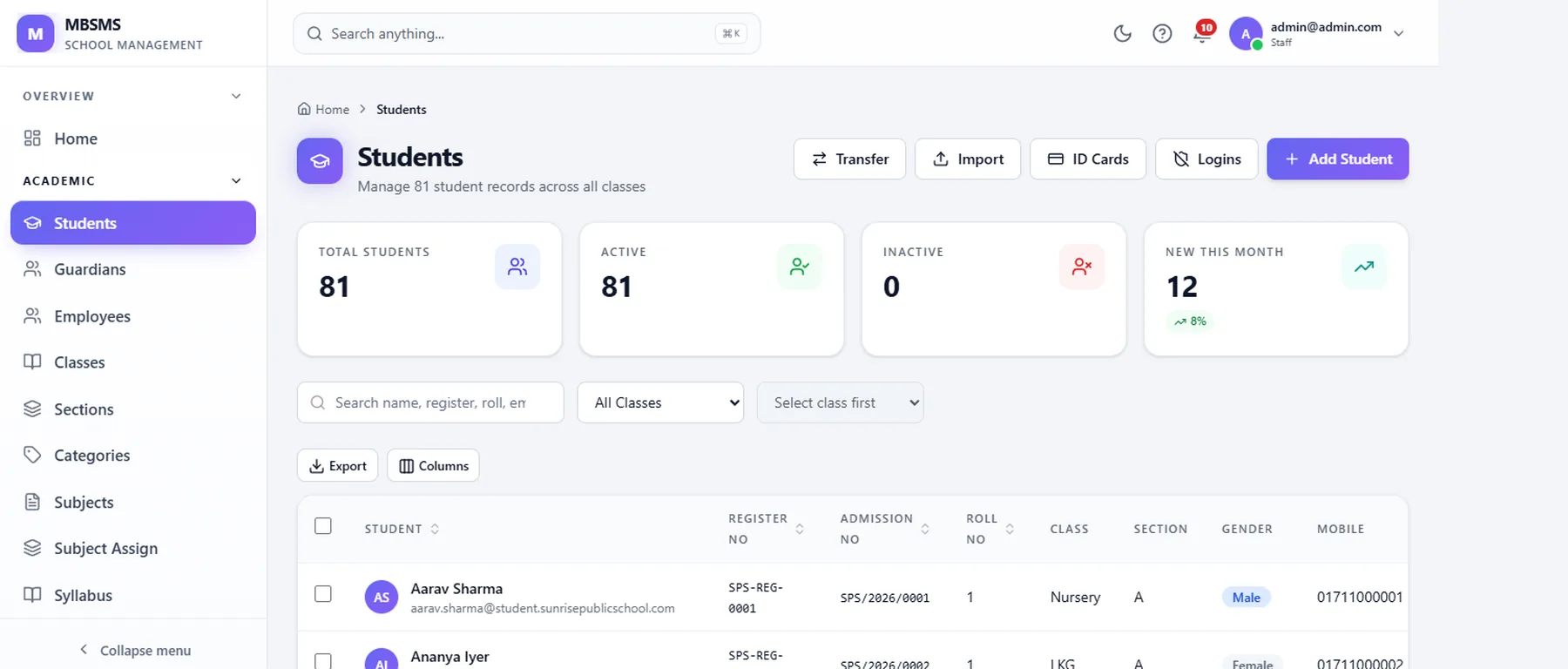
Admission forms, guardian and emergency contacts, documents, class and section allocation, promotion history and transfer certificates. Searchable by name, admission number or class, with a full edit history so a record change is never a mystery.
Fee tracking and collection

A configurable fee structure per class or programme — tuition, transport, exam, one-time. Part payments, concessions, discounts and late fines are all modelled. Every collection produces a numbered receipt, and the outstanding report tells your office exactly who to follow up with.

Attendance

Daily and period-wise attendance marked in a single screen with bulk actions, because most students are present most days. Absentees are flagged automatically and the parent notification goes out the same morning, not at the end of the month.

Parent portal

Guardians log in to see attendance, fee dues and payment history, exam results and school notices. Downloadable receipts mean your office stops printing duplicates. Runs on a phone browser — no app install required for parents.

Exams and report cards

Assessment plans, marks entry by subject teacher, configurable grade scales and generated report cards. Templates match your existing format so you do not have to renegotiate it with parents.

Reports and dashboards

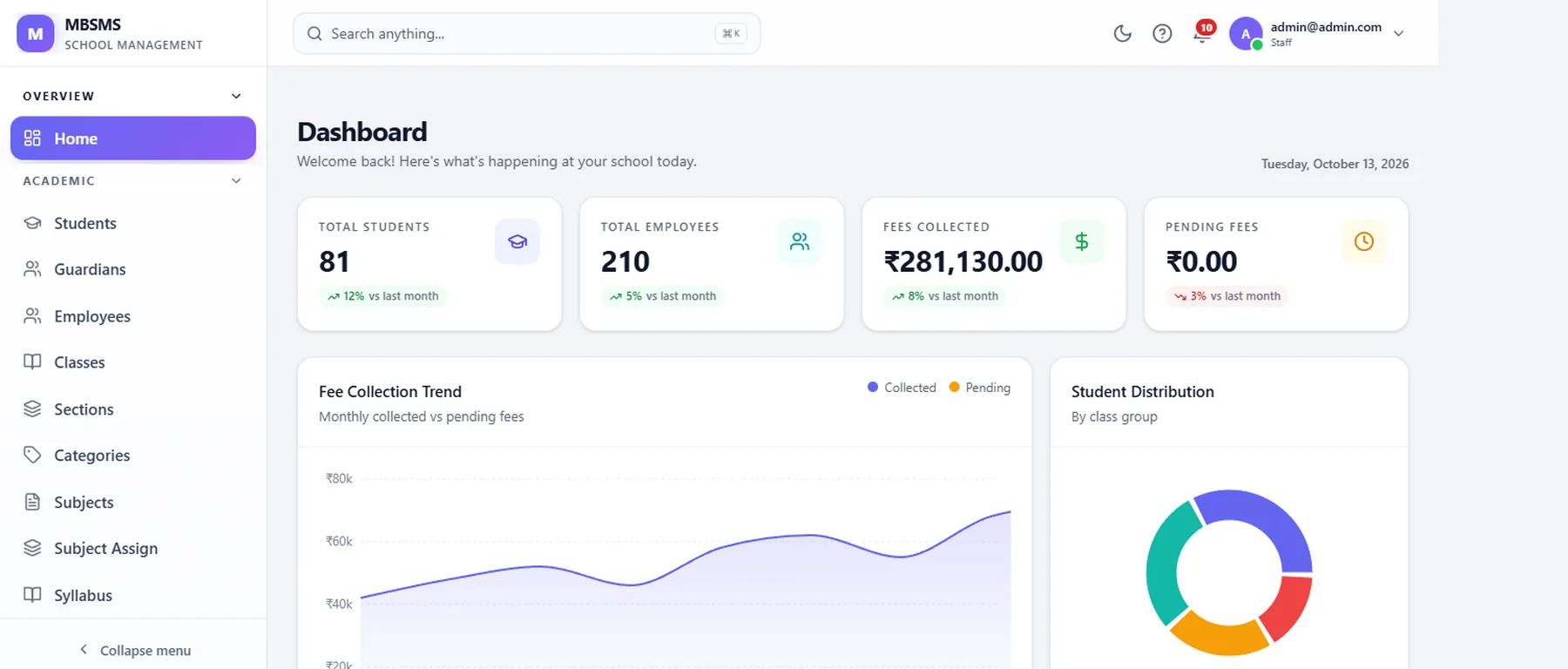
Fee collected against target, class-wise attendance trends, defaulter lists, admission funnel and staff attendance. Every report exports to Excel for your accountant or management meeting.

Roles and audit

Separate privileges for principal, accountant, class teacher and reception. A fee concession cannot be applied by someone who is not authorised to give one, and every privileged action is logged with a user and timestamp.

Notices and messaging

Announcements targeted by class, section or the whole school, delivered to the portal and optionally by WhatsApp or SMS. Holiday notices, exam timetables and fee reminders stop depending on who is in the office to send them.

Modules

Everything included in the subscription. Only transport is genuinely optional.

Admissions & Student Records

Enquiries through enrolment, with documents, unique admission numbers and history.

Fees & Accounting

Fee heads, structures, concessions, part payments, receipts and outstanding tracking.

Attendance

Student and staff attendance, daily or period-wise, with parent notification.

Exams & Report Cards

Assessment configuration, marks entry, grade scales and printable report cards.

Parent Portal

Attendance, dues, results and notices for guardians, on any phone browser.

Reports & Analytics

Management dashboards and Excel exports for every operational area.

Staff & Permissions

Staff records, role-based access and an audit trail of privileged actions.

Transport (optional)

Routes, stops, vehicle and driver records, and transport fee linkage.

Inside the product

Representative screens. The real thing is demonstrated with your own data — book a walkthrough.

MBSMS dashboard showing totals for students, employees and fee collection, with a collection trend chart and a class distribution chart
Student register listing enrolled students with admission number, class, section and contact details
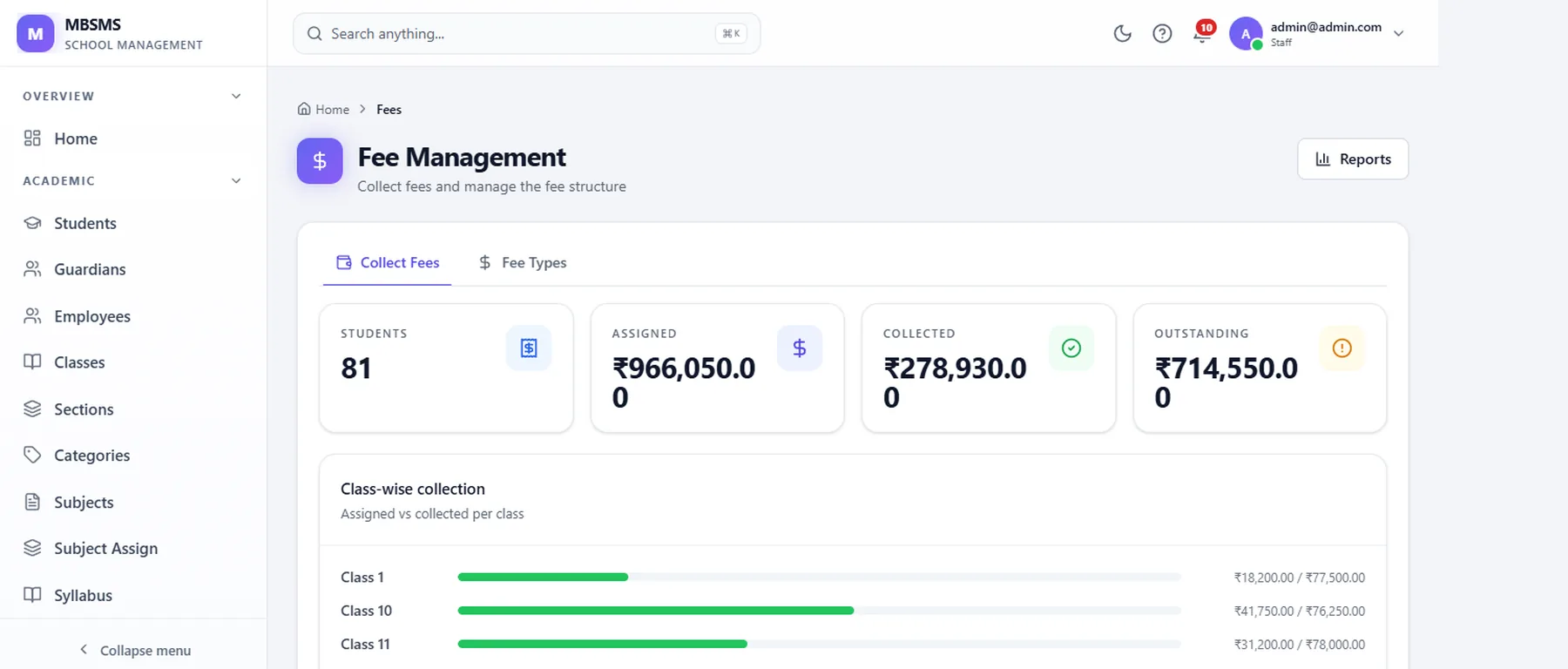
Fee management screen showing assigned, collected and outstanding amounts with class-wise collection progress
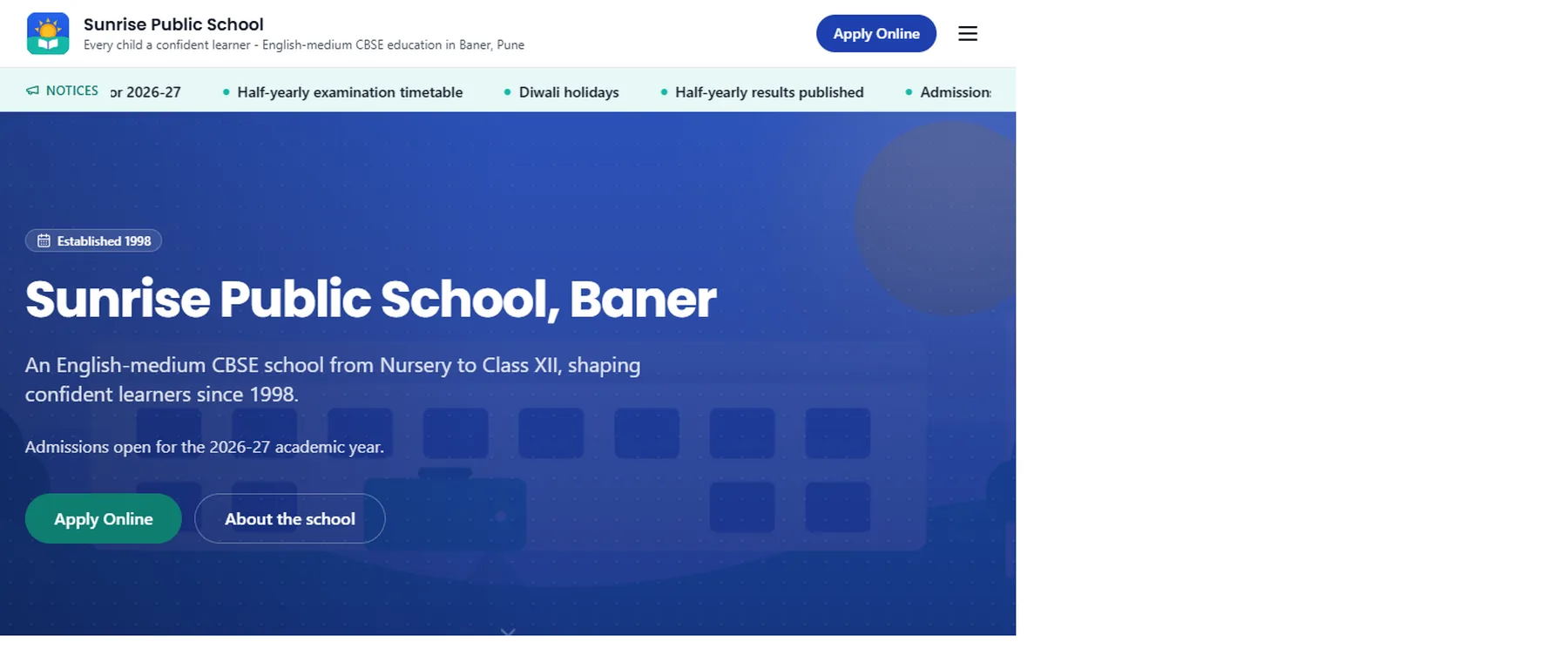
The school public website generated from the same ERP data, showing its homepage
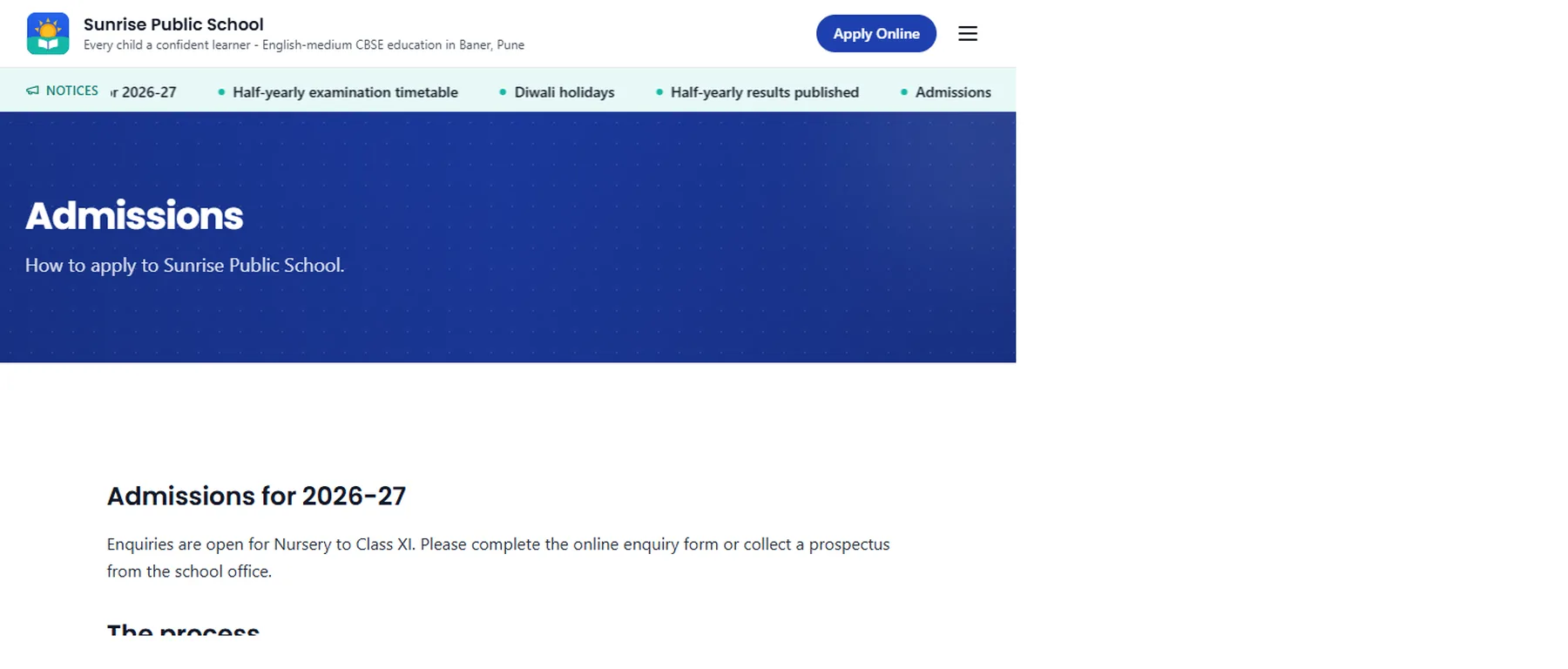
Online admissions enquiry page published from the ERP website module
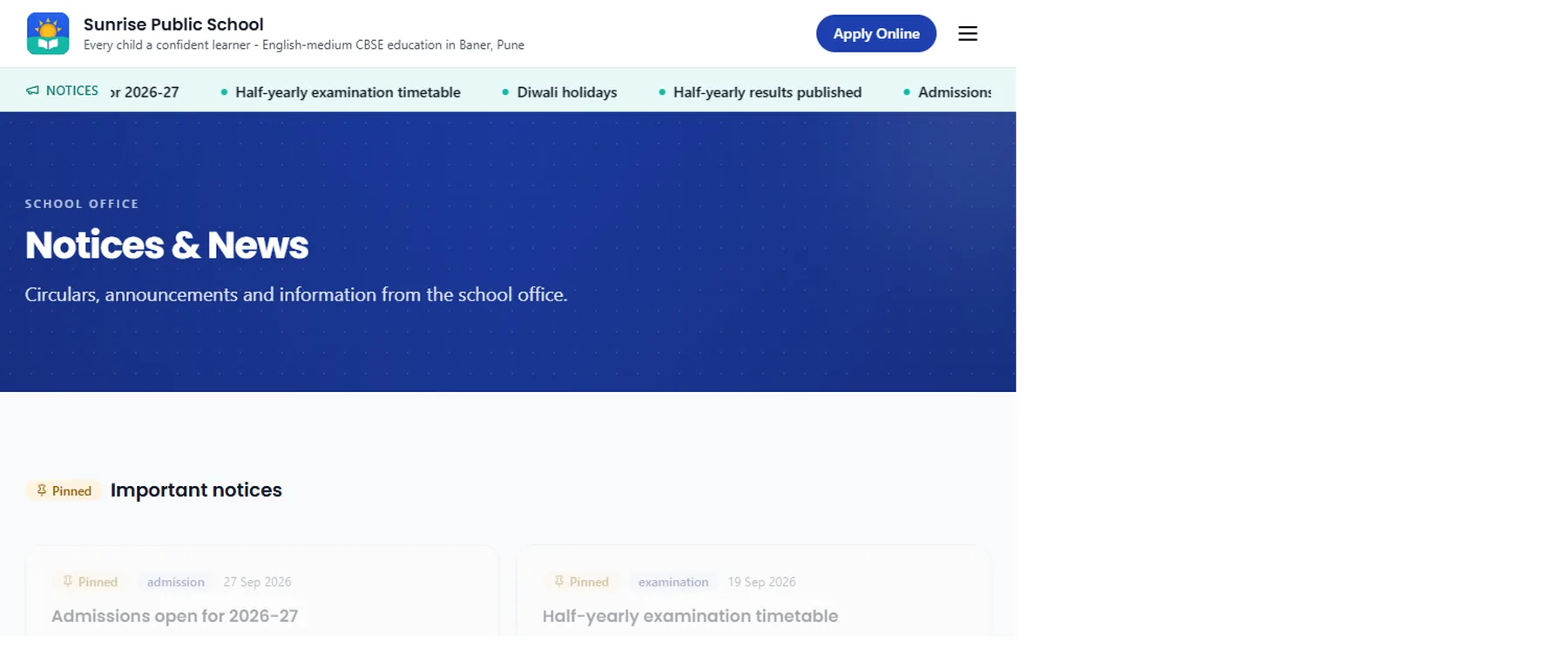
Notices and news page on the school website, published from the ERP

Drag, swipe or use the arrow keys to see more →

Works with what you already use

  • Payment gateway for online fee collection (UPI, cards, net banking)
  • WhatsApp or SMS gateway for attendance and fee reminders
  • Biometric attendance device feed
  • Tally or Excel export for your accountant

What onboarding involves

  1. 01 Requirement walkthrough We look at how your school actually runs: your fee heads, your report card format, who marks attendance and when. The system is configured to match, not the other way round.
  2. 02 Configuration Classes, sections, fee structures, grade scales, roles and templates set up on a staging instance you can click through.
  3. 03 Data migration Existing student lists, guardian contacts and opening fee balances imported from whatever you have now — Excel, another system or paper. Reconciled line by line with you.
  4. 04 Training Separate sessions for the office and for teachers, because they use completely different parts of the system. Recorded so new staff can be onboarded later.
  5. 05 Go live A term boundary is the natural switch-over point. We run both systems in parallel for the first week if that makes your team comfortable.

Included in onboarding

  • School branding, classes, sections and fee structure configured for you
  • Your existing student and staff data imported and reconciled
  • Staff accounts and permission roles set up per department
  • Two on-site or online training sessions: office staff and teaching staff
  • Parent onboarding material you can forward on WhatsApp
  • Report card template matched to your current format
  • Opening balance entry so the fee ledger starts from a known position
  • Thirty days of post-launch support included

Built with

  • PHP 8
  • MySQL
  • Tailwind CSS
  • REST API
  • Android (parent app)
  • Responsive web

Book a Demo

A 30-minute walkthrough using your own structure — your classes and fee heads, or your loan products — so you can judge fit rather than aesthetics.

  • Your configuration applied to a demo instance
  • Straight answers on what the product does not do
  • Implementation timeline and a written price

Pricing

From ₹4,999 per month. Per month, based on student count. Includes hosting, updates, backups and support. No per-transaction fee on fee collection.

Even one or two sentences is enough to start.

Prefer WhatsApp?

We do not share your details with anyone. We reply within one business day.

FAQs

Shruj School Management Software — frequently asked questions

How long does implementation take?

Typically two to three weeks from kick-off to go-live for a school under 1,500 students. The critical path is almost never the software — it is gathering and reconciling your existing student and fee data. Schools that have their data ready in spreadsheet form go live materially faster.

Do we need to buy new computers or servers?

No. It runs in a browser, so any computer capable of running Chrome will work, including the ones you already have. There is nothing to install on your own server. Parents use their existing phones through a mobile browser.

Can parents pay fees online?

Yes, through a payment gateway with UPI, cards and net banking. Each payment is recorded against the student ledger automatically and generates a receipt immediately. You can also continue recording cash and cheque collections, and both appear in the same outstanding report.

What happens to our data if we stop using the software?

It is yours. You can export student records, fee ledgers and attendance history to Excel at any time, without asking us. There is no export fee and no data hostage situation. We will help you migrate out if you ever choose to.

Our staff are not comfortable with computers. Is that a problem?

It is a normal starting point, and it is why training is split by role rather than delivered as one session. The office screens are designed so a daily task takes the same number of clicks every time, and attendance marking has bulk actions because most students are present most days.

Is the software customised for our school?

Your fee heads, class names, grade scale, report card format and permission roles are configured for you as part of onboarding, so it looks like your school system. Changes to your own configuration are yours to make. Genuinely new modules are quoted separately.

Is our student data safe?

Access is role-restricted, traffic is encrypted over HTTPS, passwords are hashed and never stored in readable form, and the database is backed up on a schedule with an off-site copy. We do not sell or share student data, and we do not use it to train anything.

No-obligation demo

See it running with your own data.

Thirty minutes, your configuration, and a straight answer about whether it fits.

We reply within one business day. · No obligation